

Playlet prices and plans
| Item | Price |
|---|---|
| Weekly Pass | $24.99 |
| 2000 Coins | $9.99 |
| 3000 Coins | $14.99 |
| Weekly Pass | $17.99 |
| 1000 Coins | $4.99 |
| Special offer | $17.99 |
| Monthly Pass | $49.99 |
| 10000 Coins | $49.99 |
| Weekly Pass | $19.99 |
Playlet store ratings out of 5
Is Playlet legit, and is it worth paying for?
Strengths
- Clearly labels both coin quantities (1000, 2000, 3000, and 10000 Coins) and pass durations (Weekly Pass and Monthly Pass) in the US App Store table.
- Offers a $49.99 Monthly Pass option alongside weekly passes, which is cheaper over four weeks than four $17.99 or $24.99 Weekly Passes.
Weaknesses
- The developer website (playlet.com) and the Terms of Use URL printed in the US App Store description returned HTTP 404 Not Found on November 10, 2026.
- Reviewers report high coin prices per episode (around 140 to 150 coins in user comments) and difficulty finding where to cancel recurring passes.
Our take
- Playlet clearly prints coin amounts on its four US App Store bundles ($4.99 for 1000 Coins up to $49.99 for 10000 Coins), but its Terms of Use link returned a 404 error during our check.
- Weekly Pass tiers start at $17.99 and reach $24.99 per week, so one-time coin bundles are safer if you do not want recurring weekly charges.

How many people rated Playlet
What Playlet is and who makes it
Playlet (Playlet: Watch Short Dramas&TV) is published by MicroShowtime Limited on the US App Store (MICROSHOWTIME on Google Play). When we checked the developer links printed on the US App Store page on November 10, 2026, both the main website (https://playlet.com) and the Terms of Use URL (https://www.playlet.com/agreement/UserAgreement.html) returned HTTP 404 Not Found errors, while the plain-HTTP privacy document at http://www.playlet.com/privacy-agreement.html loaded normally.
Across the two major app stores, Playlet holds a 4.6 out of 5 rating from 47,455 ratings on the US App Store and a 4.4 out of 5 rating from 142,077 reviews on Google Play. The US App Store metadata lists 11 ISO language codes (AR, EN, FR, DE, ID, JA, KO, PT, ES, TH, TR), covering English, Spanish, Portuguese, French, German, Arabic, Indonesian, Japanese, Korean, Thai, and Turkish. To see how Playlet compares with other platforms on ratings and weekly pricing, visit our comparison of short drama apps.
Playlet prices: coins, weekly and monthly plans
Unlike apps that hide their billing cycle behind generic labels, Playlet names both the subscription period and the coin bundle size directly in nine of its top ten US App Store in-app purchase items. For recurring plans, the US App Store lists Weekly Pass tiers at $17.99, $19.99, and $24.99, plus a Monthly Pass at $49.99. No annual plan appears in the top ten US iOS items.
For viewers who prefer one-time purchases, the top ten US App Store slots list four explicit coin bundles—1000 Coins ($4.99), 2000 Coins ($9.99), 3000 Coins ($14.99), and 10000 Coins ($49.99)—along with a $17.99 Special offer whose period is not named in the display title (its offer identifier is com.pay.sp17.99). On Google Play, the store page does not list individual packages.
According to the 【About subscriptions】 section of the US App Store description, payment is charged to your iTunes account at confirmation, and the account is billed for renewal within 24 hours prior to expiration to extend the plan by one subscription period. If you do not turn off auto-renewal at least 24 hours before the current period expires, the pass renews automatically.
How many episodes are free on Playlet
The number of free opening episodes on Playlet varies by series, and neither the US App Store listing nor the Google Play page states a fixed free-episode count. Because the official Terms of Use page (UserAgreement.html) returned a 404 error during our check, per-episode coin pricing and formal refund rules are also not available on the developer website.
For non-paying viewers, Section B (Interest-Based Advertising) of the Playlet Privacy Agreement (http://www.playlet.com/privacy-agreement.html) confirms that the app uses offer walls where users can pick rewarded ad or market research offers. However, the public store pages and privacy text do not publish how many episodes a viewer can unlock with ads per day or how many coins each locked episode requires.
What Playlet reviewers complain about
User complaints in 1-star and 2-star reviews on the US App Store and Google Play focus on three main issues. First, subscribers report being billed weekly on auto-renewal while struggling to find a cancel option inside the app, on the website, or under their primary Apple ID.
“App keeps charging me weekly on auto renewal, but there is no option to cancel the subscription” — US App Store review
Second, viewers complain that individual episodes last only 15 to 60 seconds while costing around 140 to 150 coins each, making a 70-part drama expensive to finish.
“its 150 coins for 1 15 second video to a 70 part series” — US App Store review
Third, non-paying users report that ad breaks run up to three minutes for a 30-second clip and sometimes redirect straight into the app store without a clear close button.
“Without paying money, you have to watch ads with no way to close without being drug into the playstore.” — Google Play review
How to cancel Playlet
Playlet does not offer a working web cancellation page, and its privacy policy mentions only emailing msl@microshowtime.com for personal data or account deletion requests. To stop recurring charges, you must disable automatic renewal in your phone store settings at least 24 hours before the current period expires. On iPhone or iPad, Apple Support (support.apple.com/en-us/118428) instructs you to open Settings, tap your name, tap Subscriptions, select Playlet, and tap Cancel Subscription (if Playlet is not listed, Apple Support advises searching your email for "receipt from Apple" to check which Apple Account or third-party biller processed the charge). On Android, Google Play Help (support.google.com/googleplay/answer/7018481) directs you to open Google Play, tap your profile icon > Payments & subscriptions > Subscriptions, select Playlet, and tap Cancel subscription.
Who Playlet is for
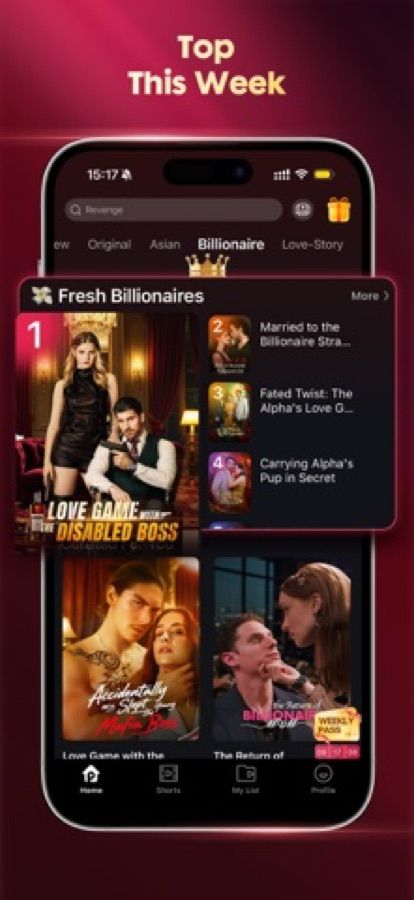
Both the US App Store and Google Play descriptions highlight urban dramas, billionaire romance, female-lead comeback stories, romantic comedies, werewolf Alpha sagas, family dramas, family feuds, and revenge plots produced with local screenwriters and Hollywood teams. Because Playlet prints clear coin counts on its $4.99 (1000 Coins) and $9.99 (2000 Coins) packs, it fits viewers who want to buy a single coin pack with a known dollar limit. Given the broken Terms of Use link on playlet.com and reviewer complaints about recurring $17.99 to $24.99 weekly charges, avoid starting a Weekly Pass unless you verify that it appears in your iOS or Google Play Subscriptions list right away.
Playlet: questions
Is Playlet legit?
Playlet is a legitimate app published by MicroShowtime Limited with 47,455 US App Store ratings (4.6 out of 5) and 142,077 Google Play reviews (4.4 out of 5) as of November 10, 2026. However, its main website and Terms of Use link returned HTTP 404 errors during our check, and reviewers frequently complain about recurring weekly charges.
Is Playlet free to use?
Playlet is free to download and lets viewers watch opening episodes or complete rewarded ad offers, though the exact free episode count varies by series. Unlocking later episodes requires buying coins or a Weekly or Monthly Pass.
How much does Playlet cost per week?
On the US App Store, Playlet lists Weekly Pass tiers at $17.99, $19.99, and $24.99, alongside a Monthly Pass at $49.99 and coin bundles from $4.99 (1000 Coins) to $49.99 (10000 Coins).
How do I cancel Playlet?
Turn off automatic renewal at least 24 hours before the current period expires in iOS Settings > [your name] > Subscriptions on iPhone or in Google Play > Payments & subscriptions > Subscriptions on Android.
How many episodes are free on Playlet?
The number of free episodes varies by series, and Playlet does not publish a fixed free episode count on its US App Store or Google Play listings.