

KalosTV prices and plans
| Item | Price |
|---|---|
| Coin Package Week | $14.99 |
| vip free week | $24.99 |
| Standard Gear $14.99 | $14.99 |
| vip free week | $19.99 |
| Standard Gear #3 | $6.99 |
| Standard Gear $24.99 | $24.99 |
| Standard Gear #4 | $9.99 |
| Coin Package Month | $29.99 |
| Standard Gear $8.99 | $8.99 |
| Standard Gear $9.99 | $9.99 |
KalosTV store ratings out of 5
Is KalosTV legit, and is it worth paying for?
Strengths
- Section VIII of the official User Agreement spells out the exact Coins and daily check-in Bonus amounts for the $14.99 7-day Season Pass and $29.99 30-day Monthly Benefits plan.
- Offers six one-time Standard Gear purchase options between $6.99 and $24.99 in the top ten US App Store slots alongside recurring plans.
Weaknesses
- The $14.99 weekly Coin Package Week and $29.99 Coin Package Month only grant finite coins and daily check-in bonuses rather than unlimited episode access.
- Standard Gear one-time packs do not disclose how many coins they contain on the store listing. Google Play does not itemize its in-app prices on the listing.
Our take
- Do not confuse KalosTV Coin Package Week ($14.99 for 1,050 Coins plus up to 1,050 Bonus) with vip free week ($19.99 or $24.99), because the $14.99 plan only issues coins rather than unlimited streaming.
- Both the coin-package subscriptions and VIP plans renew automatically unless canceled at least 24 hours before expiration in your phone store settings.
How many people rated KalosTV
What KalosTV is and who makes it
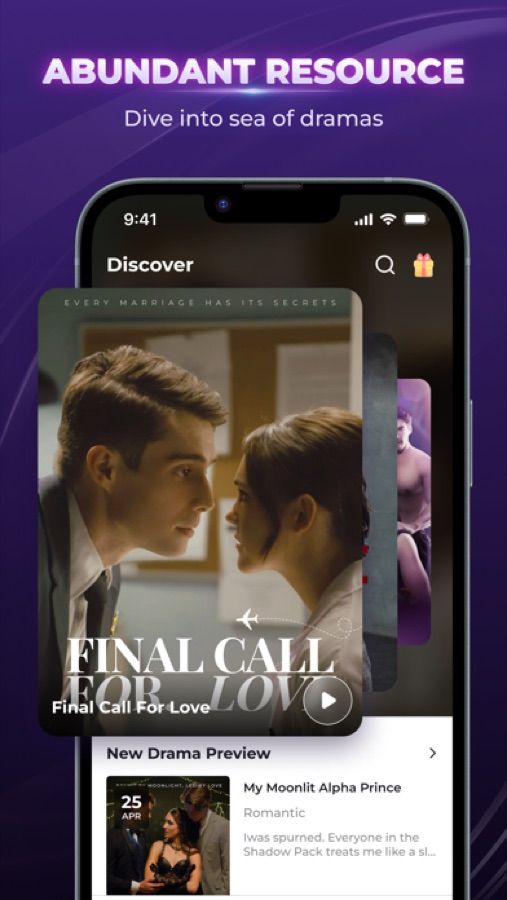
KalosTV (Kalos TV-Short Dramas & Reels, subtitled Shorts, Miniseries and Shows) is developed and sold on the US App Store by Storyverse Co., Limited, and published under the developer name Kalos_ShortTV on Google Play. While the store descriptions link to Traditional Chinese legal URLs (?app-language=tw), the official API server at api.kalostv.com also hosts English versions of the User Agreement (api.kalostv.com/user_agreement?app-language=en) and Privacy Policy (api.kalostv.com/privacy_policy?app-language=en), along with the support address kalostv@kalostv.com.
As of November 10, 2026, KalosTV carries a 4.5 out of 5 rating across 13,398 ratings on the US App Store and a 4.3 out of 5 rating across 56,222 reviews on Google Play. The US App Store listing supports 12 ISO language codes (AR, EN, FR, DE, ID, JA, KO, PT, ES, TH, ZH, TR), covering English, Spanish, French, German, Portuguese, Arabic, Indonesian, Japanese, Korean, Thai, Traditional Chinese, and Turkish. You can compare its store ratings and subscription structure against 11 other apps in our table of short drama apps.
KalosTV prices: coins, weekly and monthly plans
KalosTV splits its US App Store in-app purchases into three distinct groups, and understanding the difference between its two weekly subscription types is critical before you pay:
- Coin-granting subscriptions (
Coin Package WeekandCoin Package Month): Section VIII of the User Agreement defines two recurring plans that issue coins rather than unlimited streaming. The$14.99Coin Package Week(Kalos TV Season Pass, valid 7 days) issues 1,050 Coins plus 630 Bonus at purchase and 60 Bonus daily via check-in (up to 420 Bonus, for a maximum of 1,050 Coins + 1,050 Bonus). The$29.99Coin Package Month(Kalos TV Monthly Benefits, valid 30 days) issues 2,100 Coins plus 1,350 Bonus at purchase and 60 Bonus daily via check-in (up to 1,800 Bonus, for a maximum of 2,100 Coins + 3,150 Bonus). - Unlimited weekly VIP (
vip free week): The US App Store lists twovip free weektiers at$19.99and$24.99, which unlock exclusive content while active. - One-time purchases (
Standard Gear): Six of the top ten US App Store slots are non-recurringStandard Gearitems at$6.99(#3),$8.99,$9.99(#4and$9.99),$14.99, and$24.99, with no period named.
On Google Play, individual packages are not itemized on the store page. Both the store description and Section VIII of the User Agreement state that all subscription services renew automatically and charge your account within 24 hours before the current period expires unless canceled at least 24 hours in advance. Section IX (Withdrawal Restriction) states that balances and virtual assets cannot be withdrawn for cash.
How many episodes are free on KalosTV
The number of free opening episodes on KalosTV varies by series. Neither the US App Store page, the Google Play listing, nor the English User Agreement at api.kalostv.com states a fixed count of free episodes before a drama locks.
Similarly, while Section VIII documents the exact coin and check-in bonus totals for the $14.99 weekly and $29.99 monthly coin-package subscriptions, the public store pages do not disclose how many coins come in the one-time Standard Gear packs or how many coins a single episode costs to unlock. Official rules or daily limits for unlocking episodes by watching advertisements are also not stated in the store descriptions or legal terms.
What KalosTV reviewers complain about
In 1-star and 2-star reviews on the US App Store and Google Play, user complaints center on three recurring issues. First, viewers complain about high annual and per-episode pricing, including buyers of the $14.99 weekly coin pass who discovered that the issued coins unlocked only about a third of a 90-episode series.
“I couldn’t even finish one movie that I like, I could only watch 30 out of 90 episodes.” — Google Play review
Second, non-paying users report having to sit through three consecutive commercials—sometimes totaling several minutes—just to unlock a single one-minute episode.
“You watch about 1 minute clips and then have to watch 3 annoying ads to open the next episode.” — US App Store review
Third, subscribers report that tapping the in-app cancel option loops back to the previous screen without stopping weekly billing.
“Every time I tried to click on cancel it just keeps going back to the screen” — US App Store review
How to cancel KalosTV
The KalosTV User Agreement states only that you can cancel automatic renewal in "Settings" or "subscription management" at least 24 hours before expiration, without giving platform-specific menu steps. Because in-app cancel buttons can loop, always cancel directly through your phone biller. On iPhone or iPad, Apple Support (support.apple.com/en-us/118428) directs you to open Settings, tap your name, tap Subscriptions, select Kalos TV, and tap Cancel Subscription. On Android, Google Play Help (support.google.com/googleplay/answer/7018481) instructs you to open the Google Play app, tap your profile icon > Payments & subscriptions > Subscriptions, select Kalos TV, and tap Cancel subscription.
Who KalosTV is for
The US store descriptions highlight urban romance, teen idols, historical fantasy, and werewolf war heroes. KalosTV fits viewers looking for those specific fantasy and teen-idol themes, provided they pay close attention to which plan they select at checkout. If your goal is to binge an entire drama in one week, remember that the $14.99 Coin Package Week only issues a fixed batch of coins and daily check-in bonuses, whereas the $19.99 and $24.99 vip free week plans are the unlimited weekly VIP tiers.
KalosTV: questions
Is KalosTV legit?
Yes, KalosTV is a legitimate short drama app published by Storyverse Co., Limited (`Kalos_ShortTV` on Google Play), holding 13,398 US App Store ratings (4.5 out of 5) and 56,222 Google Play reviews (4.3 out of 5) as of November 10, 2026. Reviewer complaints center on multi-ad unlocks, high coin costs per episode, and coin-package subscriptions that do not unlock full series.
Is KalosTV free to use?
KalosTV is free to download and lets viewers stream initial episodes and earn daily check-in bonuses on eligible plans, though the exact free episode count varies by series. Watching past the paywall requires spending coins or subscribing to a weekly or monthly plan.
How much does KalosTV cost per week?
On the US App Store, KalosTV lists a 7-day Coin Package Week at $14.99 and two vip free week tiers at $19.99 and $24.99, plus a 30-day Coin Package Month at $29.99 and one-time Standard Gear purchases from $6.99 to $24.99.
How do I cancel KalosTV?
Turn off automatic renewal at least 24 hours before your subscription expires in iOS Settings > [your name] > Subscriptions on iPhone or in Google Play > Payments & subscriptions > Subscriptions on Android.
What is the difference between Coin Package Week and vip free week on KalosTV?
Under Section VIII of the KalosTV User Agreement, the $14.99 7-day pass (`Kalos TV Season Pass`) issues 1,050 Coins plus up to 1,050 Bonus via daily check-ins, whereas the $19.99 and $24.99 `vip free week` tiers are VIP subscriptions.